Text effects
Select a text element to set its font, size, weight and alignment, then use Text effects for gradient fills, outlines, 3D depth, letter spacing, per-letter animation and text on a path.
Text basics
- Font: search Google Fonts and installed fonts. Google Fonts download the first time they're used.
- Size 12–300, weights from Regular to Black, horizontal and vertical alignment, color and Line height.
Text effects
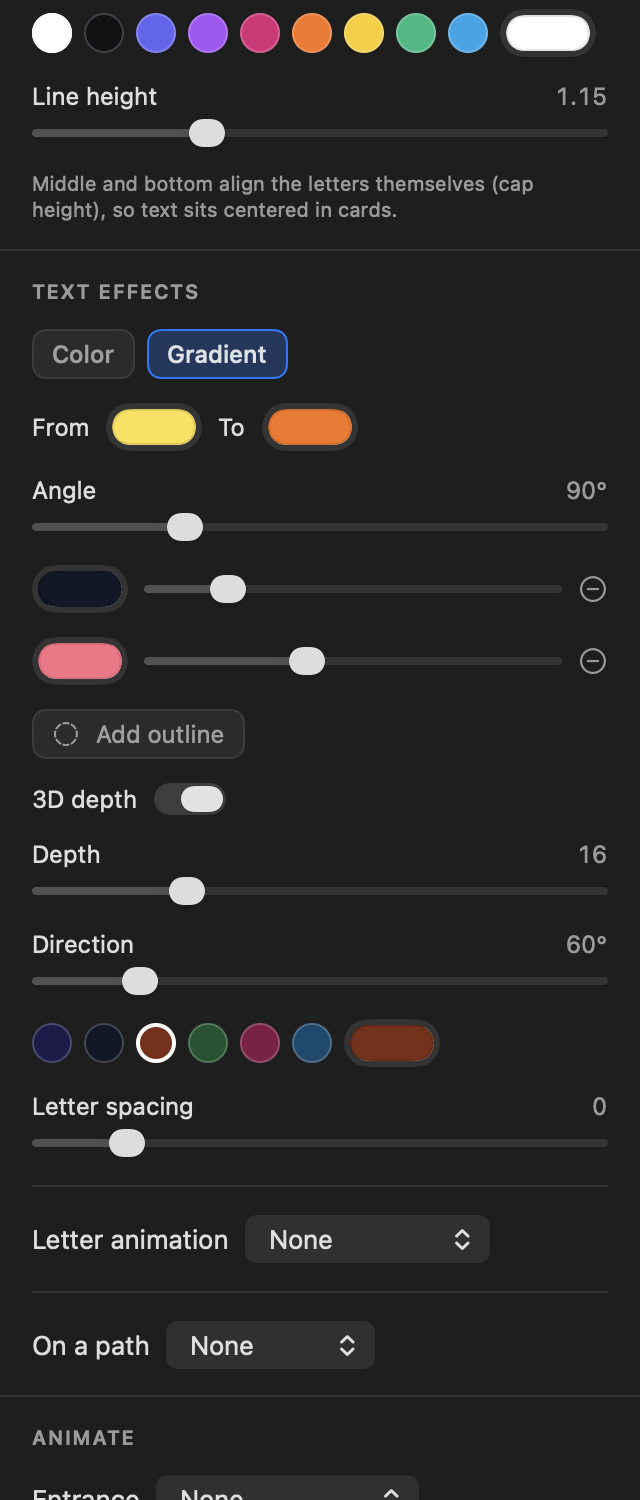
| Effect | Options |
|---|---|
| Fill | Color or Gradient with From, To and Angle |
| Outlines | Add outline; several allowed, width 1–30 |
| 3D depth | Depth, Direction and color |
| Letter spacing | −10 to 60 |
Letter animation
Choose Fade up, Fade down, Pop, Zoom, Spin, Drop, Flip, Type on, Scramble, Spread, Color sweep, Wave, Bounce or Jitter. Animate by Letters, Words or Lines, and set the Order (in order, reverse, from center or random), the delay Between each and the Amount. Wave, Bounce and Jitter loop continuously.
Text on a path
On a path bends text along Arc up, Arc down, Circle or Wave. Keyframe Path offset to make it travel along the path.
Captions on the recording
On the recording scene, Add text at playhead (T) adds a caption instead, with Label, Shadow or Plain styles and Rise, Pop, Fade, Type or None animations. Drag its block on the Text lane to change when it shows.
Related articles
- Animation and keyframesSelect an element and scroll to Animate. Start with an Entrance, Exit or Loop preset, add keyframes with the ◆ buttons or Record keyframes, and open Advanced for motion paths, expressions, sound reactions, parenting and effects.
- Subtitles and transcriptIn Subtitles, click Generate from audio to transcribe the voiceover, microphone and audio. Edit and style the lines, export .srt or .vtt, and use Edit by transcript… to cut words, filler words and long pauses.
- Scenes and elementsA Screen Agent video is a sequence of scenes: the recording scene and design scenes (slides). Add scenes with + in the scene strip, and add text, buttons, shapes, icons, images, videos, paths, particles, SVG or Lottie from Insert or the Add section.
Still stuck? In Screen Agent, choose Help → Send Feedback… and pick Question, or browse the help center.